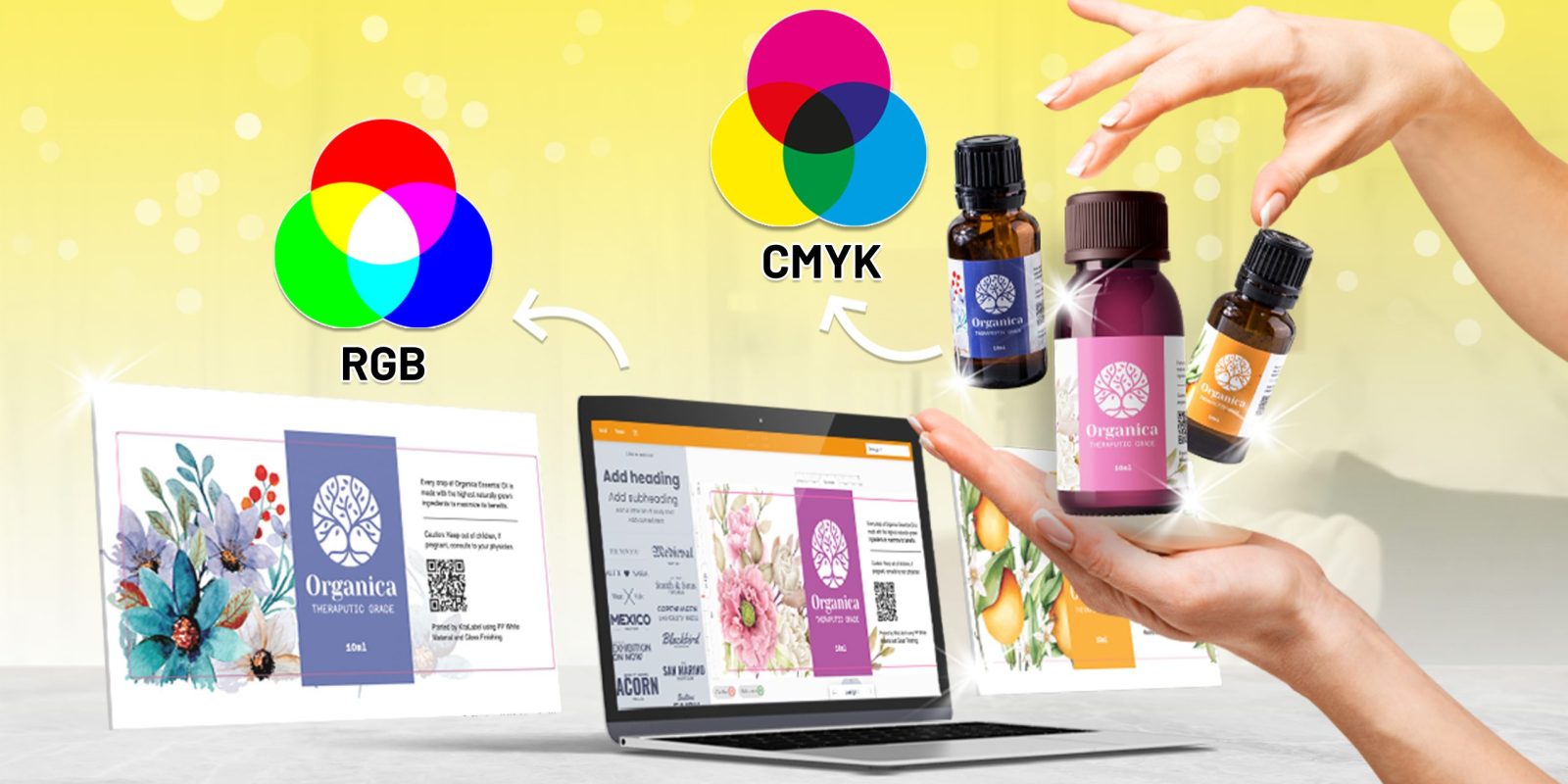
In label design and label printing production, color is not just a visual element; it is a critical component that directly affects how your brand is perceived in the market. However, one of the most common challenges in achieving color consistency lies in understanding the difference between CMYK vs RGB.
CMYK and RGB are both color models, but they serve fundamentally different purposes. Choosing the wrong one at the wrong stage can lead to various issues. This often happens and results in inconsistent outputs, ultimately causing a mismatch between the design and the final execution.
To ensure your label designs are accurately translated from screen to printed labels, it’s important to understand how each color model works and where it should be applied. Having a clear direction early in the process can help minimize errors and ensure a smoother transition from concept to final production.
What is CMYK?

CMYK stands for Cyan, Magenta, Yellow, and Key (Black). It is the standard color model that is used in the printing industry and serves as the foundation for how colors are reproduced in print media.
The combination of Cyan, Magenta, and Yellow can produce dark colors, but they tend to lack intensity. That’s why Black is added as the “Key” color to enhance contrast and achieve a deep, solid black.
CMYK works by layering inks on a physical surface. The colors are created through a subtractive process, so the more ink you add, the darker the result becomes. Because of this, CMYK has a more limited color range (gamut) compared to RGB.
What is RGB?

RGB stands for Red, Green, and Blue. It is the color model that is used in light-based devices or digital displays such as smartphones, laptops, and other electronic screens.
The combination of these three colors can create a wide spectrum of colors. RGB works through an additive process, where each pixel emits light by combining different intensities of red, green, and blue to produce the colors displayed on screen. This allows it to deliver brighter and more vibrant colors compared to CMYK.
CMYK vs RGB: Key Differences in Practical Use
To simplify the comparison between CMYK and RGB, here’s how they differ in actual use.
| Criteria | CMYK | RGB |
|---|---|---|
| Color | Cyan, Magenta, Yellow, Black (Key) | Red, Green, Blue |
| Color Mixing | Produce dark colors close to black | Produce white, brighter and more vibrant colors |
| Color Range | Limited | Wider |
| Usage | Printed Media (Labels, Brochure, etc.) | Digital Media (Photos, Videos, etc.) |
| File Formats | PDF and AI | JPG, PSD, PNG, GIF |
Why This Matters in Label Printing
Understanding the difference between CMYK and RGB is crucial when it comes to label printing because it directly affects how your final product will look in real life. You can see how this applies to products like our pressure sensitive labels, shrink sleeve labels, and in-mould labels where color accuracy is a key part of the final output.
If you create a design using the RGB color model, it often appears brighter and more vibrant on screen. However, when you turn it into a printed label, those colors may look different, as they need to be translated into the CMYK color model.
Here are several potential issues you may encounter during the label printing process:
1. Colors may appear duller or slightly different
This often happens with bright, neon, or highly saturated tones in RGB, as they cannot be reproduced exactly the same way in CMYK.
2. Unexpected color shifts
Some colors may change during the conversion process, leading to final results that differ from the original design.
3. Inconsistent brand appearance across batches
Without proper color management, maintaining consistency across multiple print runs can be challenging.
For brands, this isn’t just a technical detail. It directly influences how your product is perceived in the market because color plays a key role in creating visual impact, attracting attention, and conveying product quality along with your brand value.
In real production scenarios, even small color inconsistencies can lead to costly reprints, delays, and inconsistencies across product batches, especially for brands managing multiple SKUs. Over time, this also can create inconsistencies across different product lines and weaken overall brand perception in the market.
By designing with CMYK in mind from the start instead of RGB, you can ensure more accurate color output, minimize unexpected results, and achieve a final label that truly represents your brand.
How Theia Digilab Supports Your Label Printing Production
With experience in handling diverse label applications across industries, we understand how different materials, printing methods, and color settings can impact the final output. We also know that achieving the right color is not just about the label printing process. It’s about translating your design vision into a consistent final product.
Browse our portfolio to see how we have applied this across different industries and label types.
As a label printing and packaging partner that offers advanced digital printing technology, we assist you by providing clear direction from the early stages of development all the way to final production. By aligning your design vision with the label printing process early on, you can avoid costly revisions, reduce inconsistencies, and ensure that the final result matches your original design.
Without the right guidance, color inconsistencies can become a long-term issue in your production process. This is where having the right partner becomes essential. If you’re still looking for a way to ensure your ideas are translated seamlessly into reality, working with us can make all the difference.
Find out how our one-stop solution covers every step of your label production process.
So, do you have something in mind? We’re only a call away to help you get it right from the start. Let’s start our discussion through:
- WhatsApp: https://wa.me/62811949769
- Email: marketing@cahayajakarta.com
Frequently Asked Questions
1. What is the difference between CMYK and RGB in label printing?
CMYK and RGB are two different color models used for different purposes. CMYK is used for printed media such as labels and packaging, while RGB is designed for digital screens like smartphones and laptops. RGB colors usually appear brighter on screen, but they may look different once converted into CMYK for printing.
2. Why do colors look different after printing?
Colors can look different after printing because RGB has a wider color range than CMYK. Bright, neon, or highly saturated colors displayed on screen cannot always be reproduced exactly the same way in print. During the RGB to CMYK conversion process, some colors may become duller or shift slightly.
3. Should label designs be created in CMYK or RGB?
For label printing production, it is highly recommended to design in the CMYK color model from the beginning. Designing in CMYK helps ensure more accurate color results, reduces unexpected color shifts, and minimizes revisions during production.
4. How can incorrect color settings affect brand consistency?
Using incorrect color settings can lead to inconsistent color results across multiple print runs or product batches. Over time, this may affect brand consistency, weaken product appearance on the shelf, and reduce the overall visual quality associated with your brand.
5. How does Theia Digilab help ensure accurate color results in label printing?
As a label printing and packaging partner, Theia Digilab helps brands align their design vision with the label printing process from the early stages of development. With advanced digital printing technology and experience across diverse label applications, Theia Digilab supports accurate color reproduction, minimizes inconsistencies, and helps ensure your final labels match the intended design.